Today, during class, I’ve finished all of the core gameplay and the assignment requirements for this class. However, this doesn’t mean I’m completely finished with the game. Here a list of things I’d like to add in:
Character animations: right now, the character only has one sprite which moves around. I don’t mind this at all, but to make the game feel a little more complete, I’d really like to add in character animations.
Exterior sounds: I’d like to add in some additional sounds for the exterior of the game. Right now, it’s very quiet. A little too quiet.
Extra exterior assets: The exterior is fairly empty right now. If I have the time, I’d like to add some extra assets to fill it up a little more.
12-06-2020
Due to some appointments I had today, I wasn’t able to work on BPW 2. I’ll finish some character animations tomorrow and add those in. I’ll also try to work on the shaders and hopefully I’ll be able to add in some extra sounds. It would be nice to finish up the game this weekend. That gives me plenty of time to work on other deadlines.
13-06-2020
Today I implemented character animations and they look pretty cool. I’ve never drawn a walking pixel art character before, so it was definitely a challenge. But for a first time, I think it looks pretty neat. I also added in the sounds. The only thing there’s left for me to do, is add some extra assets. For the assignment, I also shouldn’t forget to finish project documentation and a gameplay video.
14-06-2020
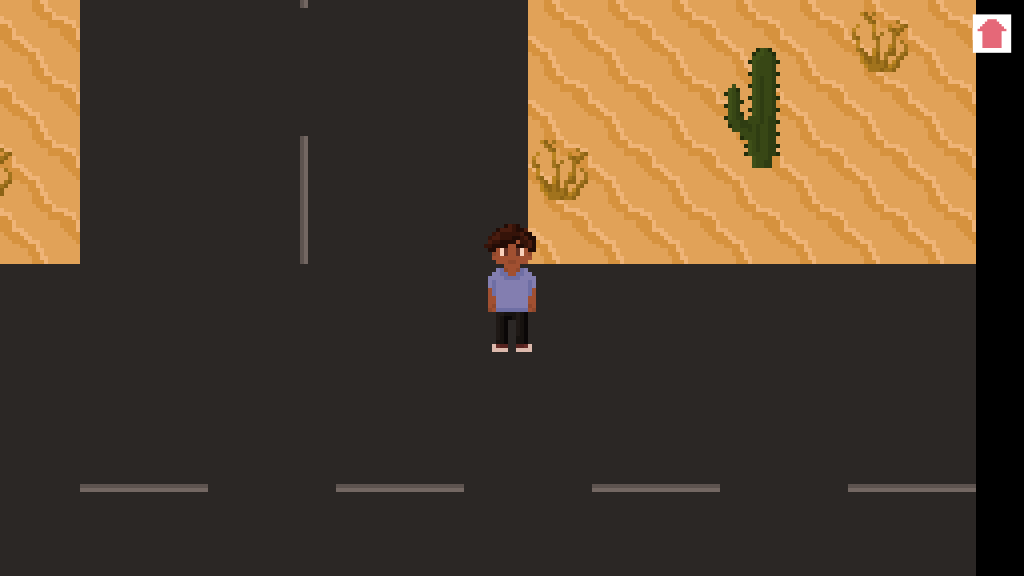
I finished up the project. I drew two other assets, a car and a sign, and added those in the exterior. I’ve updated my Github, logbook and project documentation and I’ve already made a build and gameplay video as well. Everything is finished now, but I won’t hand it in just yet. I’ll just wait until we’ve had our final class, just in case I’ve forgotten something.
I really liked working on this project, even though I was dealing with a lot of pressure because of a lot of other deadlines. I’m proud of what I’ve made and can’t wait to see what others think of it!
Today we had class again. Yesterday, I briefly looked into light baking in Unity in 2D with the URP, but I couldn’t find how to turn it on. So naturally I decided to ask it in class today. Apparently Unity handles everything when you turn on BGI, so that’s why I couldn’t find the light modes. I’m very glad it’s fixed now, though, that’s one thing less to worry about.
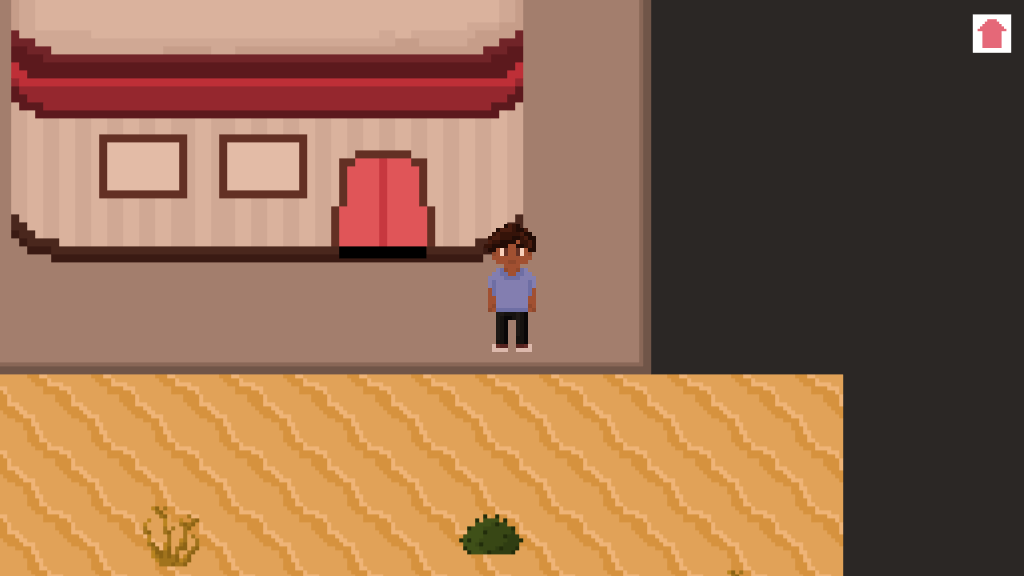
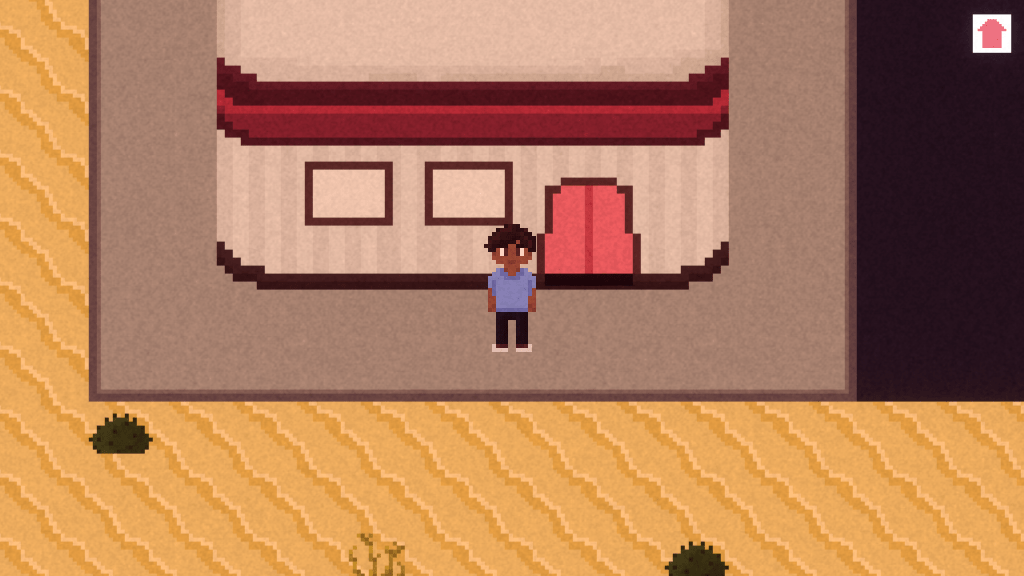
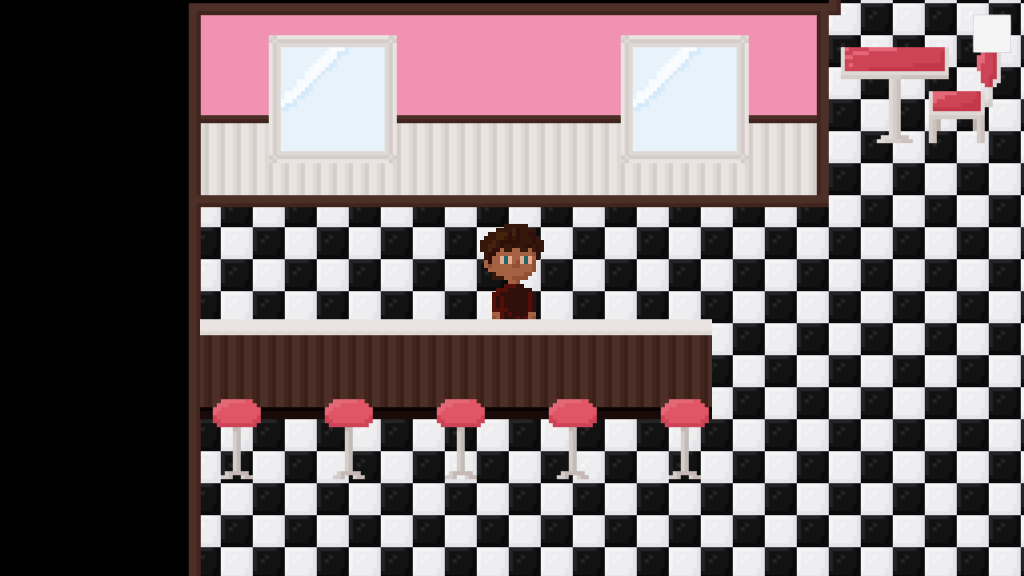
While waiting for the teacher, I also worked on the exterior a little. I’ve added the diner building and made sure the character spawns in the right places when entering and exiting the building. I’ve also added some new floor tiles.
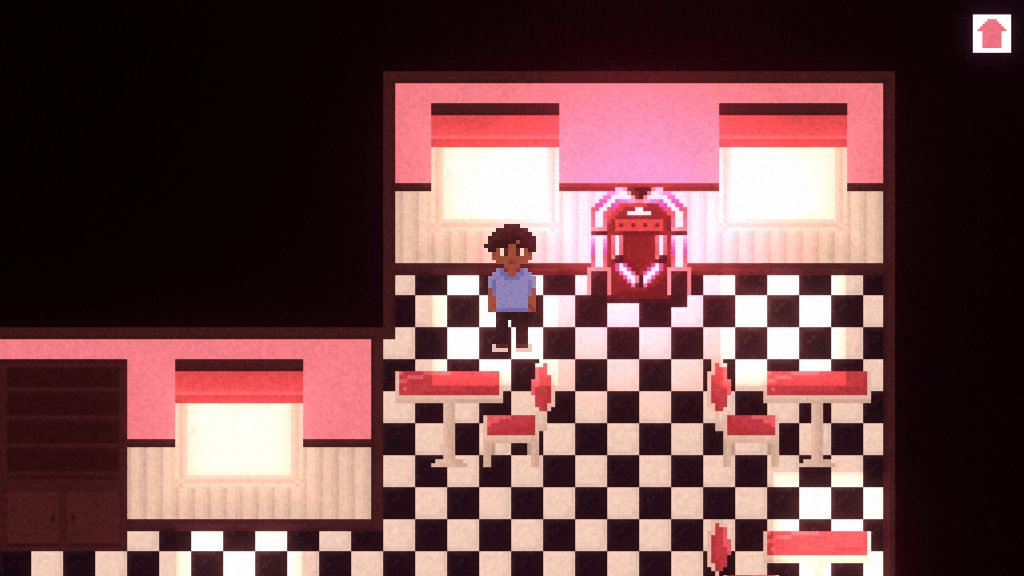
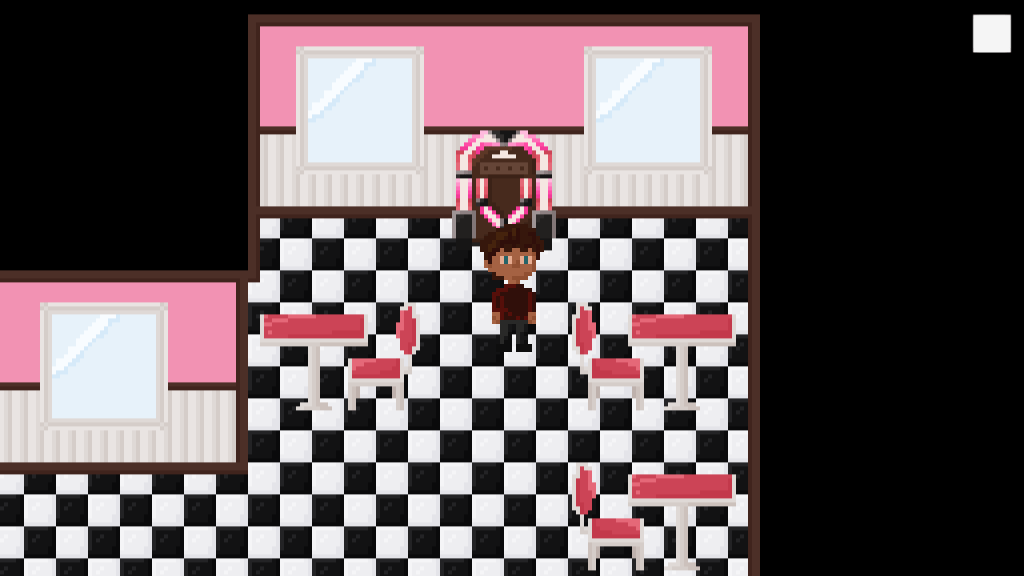
I also noticed a bug in one of my scripts, the one that handles the interior switch. What I want is that the player can only switch songs on the jukebox when in range of the thing, but the script allowed the player to just switch whenever. This is because I forgot to add a void OnTriggerEnter2D to the thing. I’m pretty sure I made the exact same mistake during BPW 1, so that’s funny. It’s fixed now, and I also made a message at the bottom of the screen pop up when the player is in range, which says “Click to switch songs!”. Another small change I made was add a little home button in the right corner instead of just a plain white square.
I’m already pretty far with my project, which is really nice. Since I also have other deadlines, I might take it easy with BPW 2 this week and focus on other subjects a little bit more. We’ll see.
05-06-2020
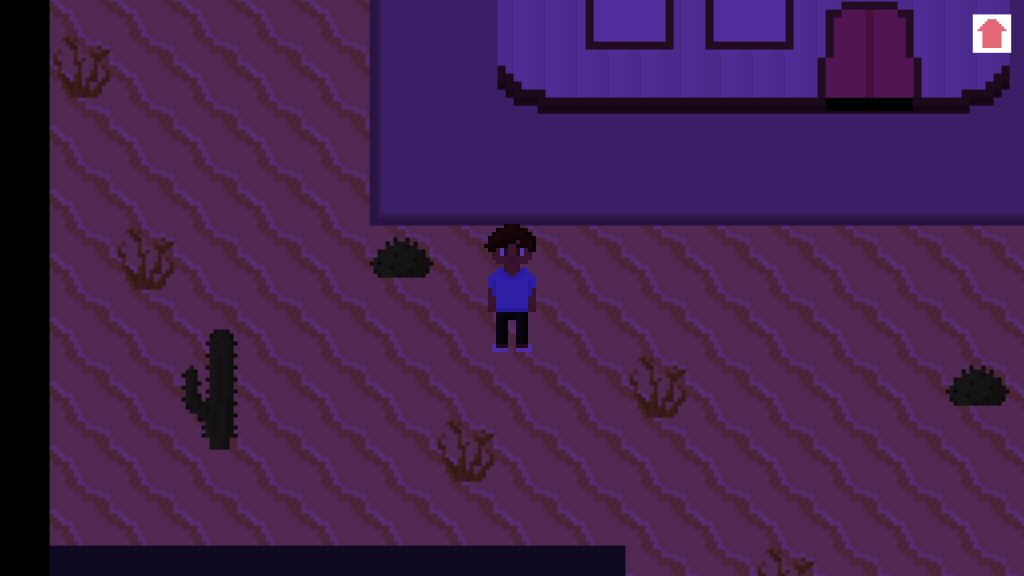
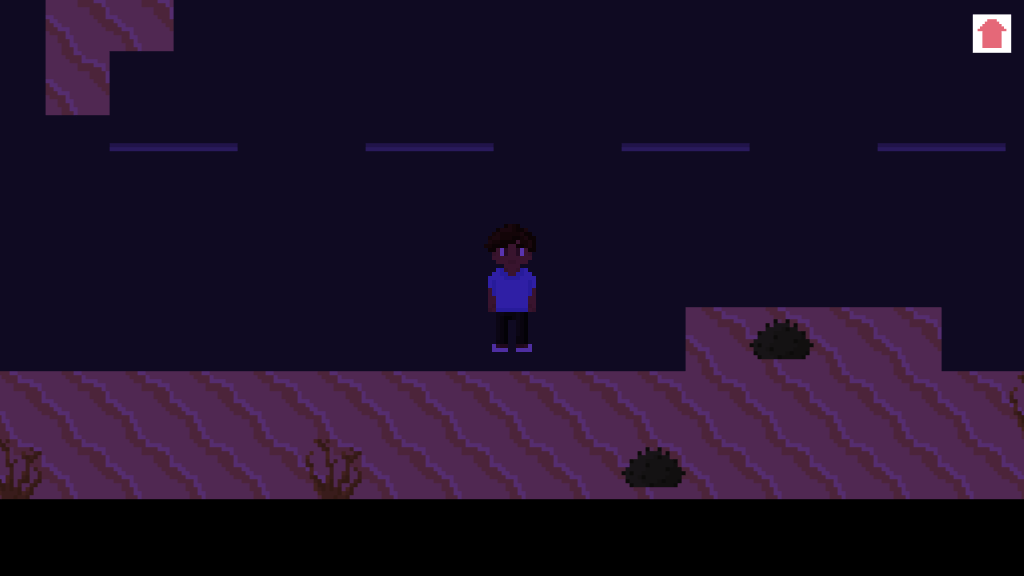
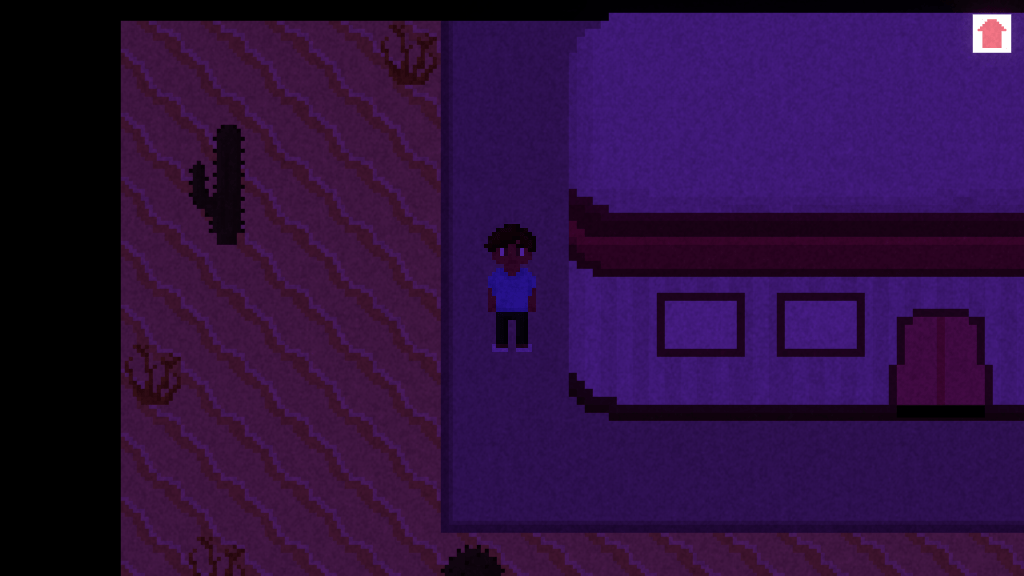
Today I worked on the exterior and I finished pretty much everything, except for the cars and the sign. I also made sure that when you exit the building in interior 1, the exterior will match the interior and when you exit the building in interior 2, the exterior will match the interior as well. However, when the player returns to the diner, it will automatically have interior 1 because it hasn’t saved the last state of the scene. I’ll have to look into this more but I have a feeling it’ll be pretty hard to solve for me.
I might also turn this bug into a feature by having the main character react to it with a “Huh? That’s weird…” but for that I’ll also have to make sure that message only appears when the player goes from exterior 2 to interior 1, which is probably even harder to do. So my current solution would be let a cutscene play when the player leaves the building from interior 2 to exterior 2 in which toxic gases appear and kill the main character (tying nicely into the post apocalyptic part of the game). This solves my problem, because the player won’t ever be able to return to the interior from exterior 2. It also ties in to the setting and it gives me an opportunity to create my own shader (if I’m understanding shaders right at this moment).
06-06-2020
I didn’t have any time to work on BPW 2 today, unfortunately. I did realize I haven’t watched the new tutorials provided in class yet, so I’ll do that tomorrow.
07-06-2020
I watched the tutorial video’s on shaders today. For some reason my brain isn’t working with me today, so I’ll keep it on that and I’ll look further into it tomorrow.
08-06-2020
I realized I haven’t added any post processing yet, so I worked on that today. I played around with the shadows a little and added some film grain for a more retro-y feel to the environment.
For the shader, I want to create toxic clouds that appear as soon as the player goes outside in the post-apocalyptic world. They’ll then make the player explode or something like that. I already have an idea of how I could make the shaders necessary for this, but I don’t know yet how to animate it with the animator of Unity.
I have also added in some music in the game. The jukebox plays two songs (obviously): a calm and happy song for interior 1 and a distorted song for interior 2. The first song also has a bit of a surreal vibe to it, to give the player already a bit of an anxious feeling as if something is wrong. The music only plays inside the building. I might add some extra music for outside or distort the two songs I already have for the exterior so that it is as if the music is playing from the inside, but these are all things I’ll add if I have extra time.
Now with post processing and music, there’s only a few more things I need to implement in order to finish the game:
A shader (the toxic clouds that appear and the main character that explodes)
An animation to the shader (the appearing of the clouds, them moving closer to the main character, the main character exploding)
The cutscene (basically everything I mentioned above but as one working cutscene that immediately starts playing when the player decides to go outside in interior 2)
Character animations (I might have to leave this one out because it’s very time-consuming and it’s something I’m willing to give up in order to be able to finish everything else and make it look good)
If I work hard, I should totally be able to finish this by Sunday. Considering I have several other deadlines, however, it might take me a little longer. It’d be really nice to finish the project this Sunday, because that gives me a week to make some tweaks or add some new features. We’ll see.
09-06-2020
Today is Tuesday. I have not worked on BPW 2.
10-06-2020
Today I set up the cutscene for the game. It triggers as soon as the player enters exterior 2. For this, I’ve disabled the player and camera movement scripts. I’ve added a script to the camera which handles the cutscene. I used a coroutine for all the actions that happen in the cutscene. For example, it starts with a small animation of the main character moving and the camera following. Then, the coroutine waits a few seconds before showing a text popup. This way, I’ll make the entire cutscene. It ends with a button popup the player can click to return to the main menu.
I’ve also already added in a shader which lets the main character “explode”. I still have to add in the toxic clouds, but I’ll do that tomorrow.
I got a lot done in the past week. Right now, my game already has everything in it that it should have, so that’s really good. With still about 1.5 week before the deadline, I have plenty of time to make the game look really good.
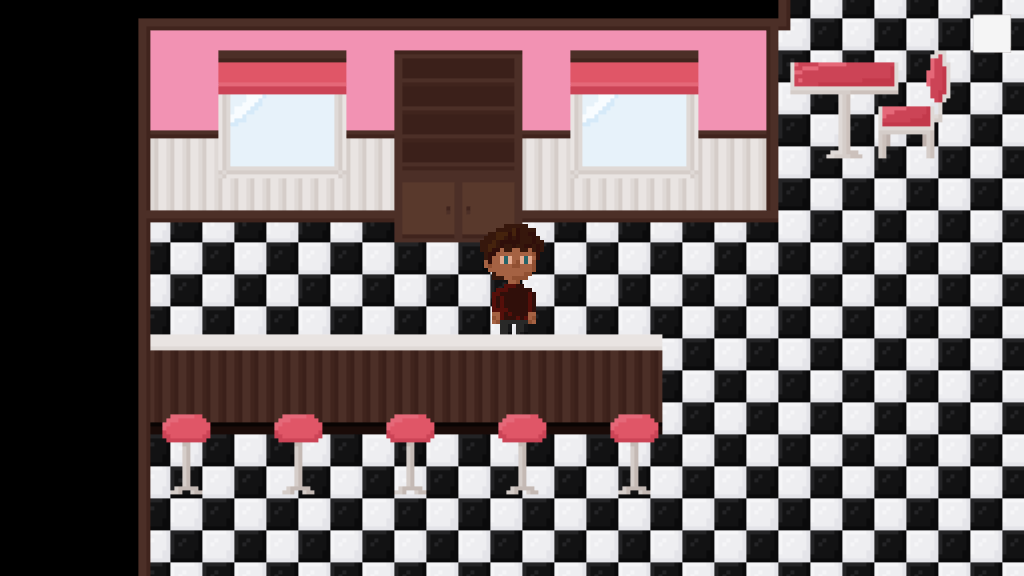
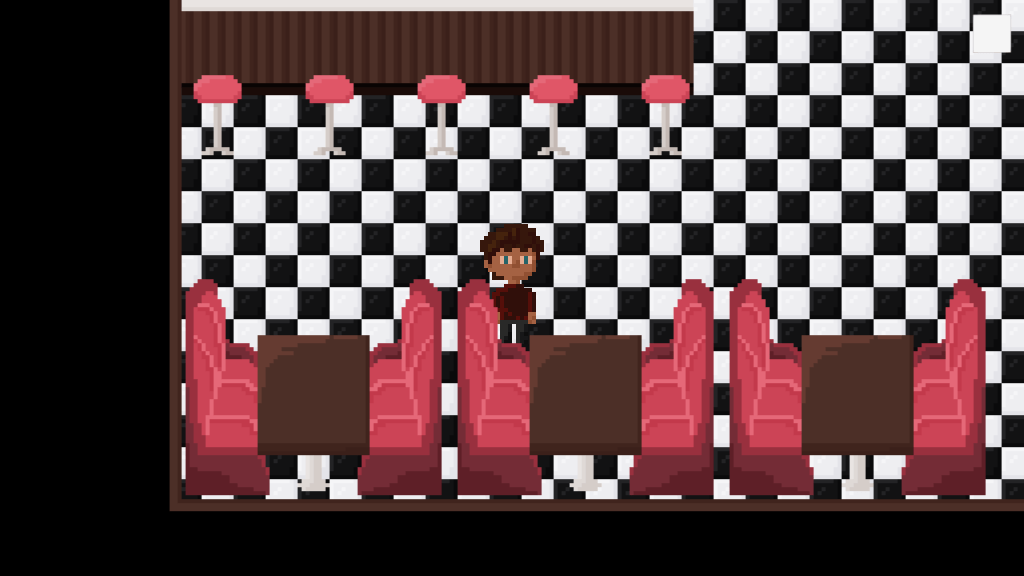
Today I finished decorating the interior of the diner. I managed to draw a nice looking booth and added it in. I also added some curtains to the windows.
It also turns out that I misunderstood part of the assignment, which is a little unfortunate to be honest, but luckily it’s still fixable without having wasted too much time. I’m not sure whether I want to keep the switch between inside and outside, though. I haven’t really worked on any of the exterior assets yet, and if the other area isn’t necessary, might as well get rid of it. I’ll keep it as it is for now and instead focus on an interior switch first.
For this interior switch, I want to make other versions of the interior assets. When the player switches songs on the jukebox, the interior assets also switch in style. What this other style will be, I’m not sure yet. I’ll come up with some ideas tomorrow and pick the one that speaks to me the most. I also might go back to the moodboard I made and continue working on it to get some inspiration.
29-05-2020
Today I thought of some ideas for the switch in interior design.
The second interior is in the future and post-apocalyptic (credits to my teacher for this one)
The second interior is at night
The second interior is in another color scheme (an easier one because it doesn’t require me to recreate all the assets, I just have to recolor them)
The second interior is in another resolution ( a harder one because I’ll have to redraw all the assets with another pixel count)
The second interior is in 3D (pretty much impossible for me as a game artist, but it is a fun one)
The second interior is in another genre (so the first interior is retro, the second could be western or futuristic)
I personally really like the one my teacher came up with, and I think it’d be fun to combine it with the second idea. So the first interior will be intact during the day (probably at sunset to get the best lighting) and the interior after the switch will be post-apocalyptic during the night.
Another thing that I think would be really cool to do, is keep the exterior and have it switch with the interior. An easy way to do this would be to activate another “go outside” trigger when switching interiors, to then go to an alternative exterior scene where everything is in the same atmosphere as the interior. But for that, I will have to finish the exterior. So for now, I’ll just focus on getting the interior done, and when I’m done with that and still have time left, I’ll add in the exterior. I also shouldn’t forget about some start screen art.
30-05-2020
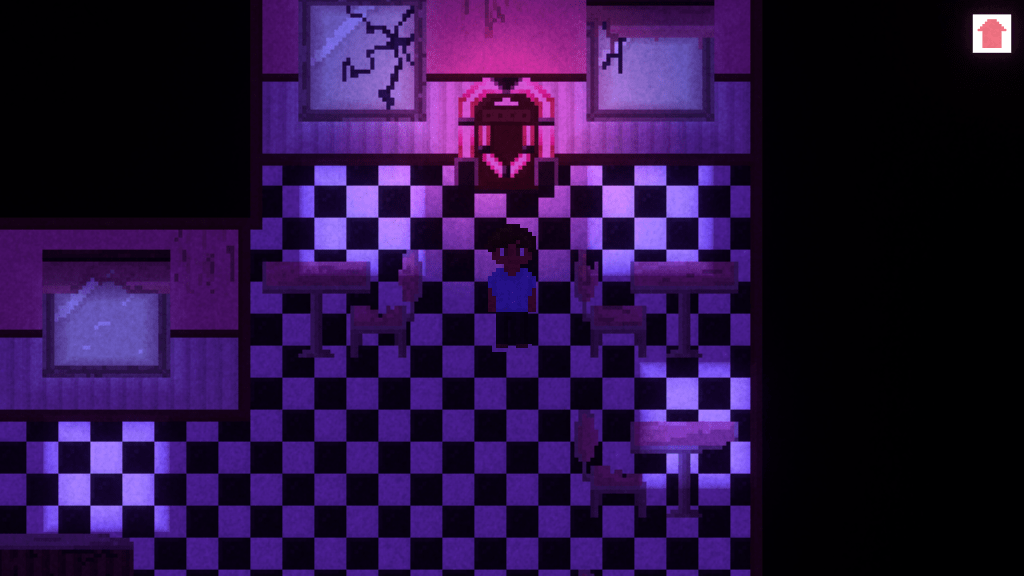
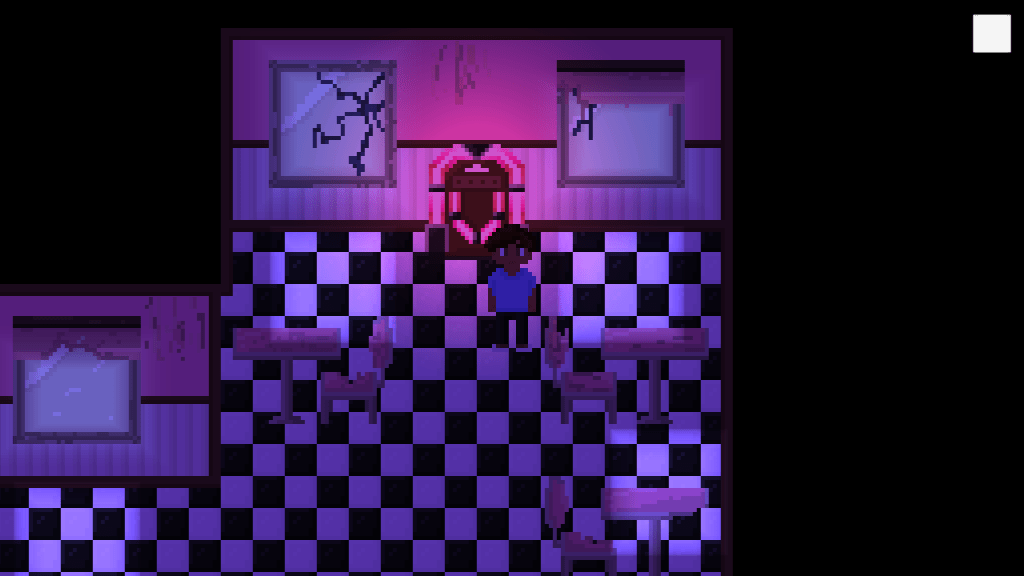
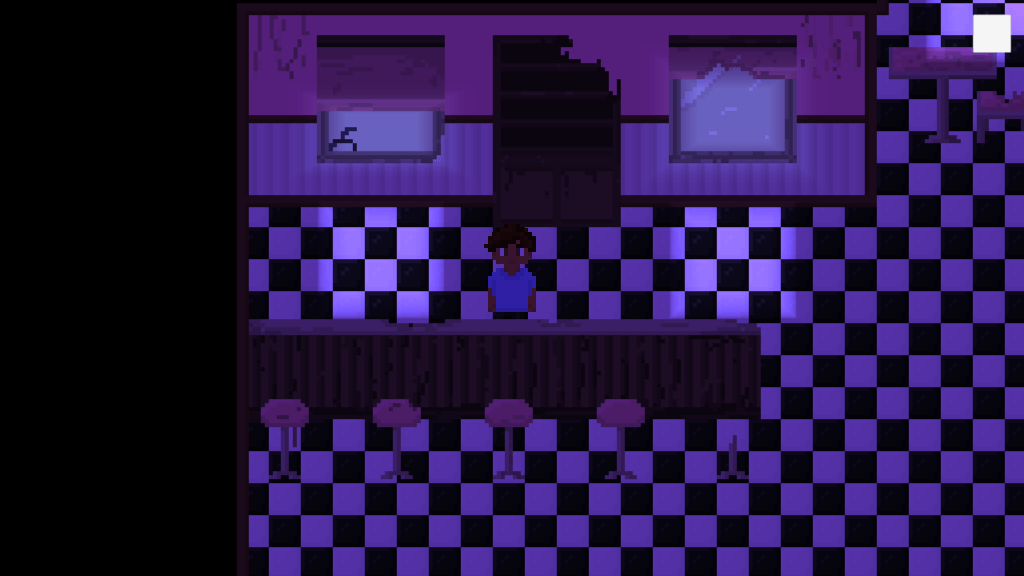
Today I thought about how I’ll make the interior look post-apocalyptic. I’ve decided I’ll keep the changes fairly simple- I’ll make all the colors look faded and I’ll remove some parts of the assets to make them look broken. I won’t change the entire layout of the diner, but I might add in some extra assets that have been left in the diner over time, or move a chair or two.
I worked a little more on my character sprite, but couldn’t get very far. Since I have a deadline on Monday, I probably won’t be able to work on this project tomorrow. I’ll keep you updated.
31-05-2020
As I already suspected yesterday, I didn’t have time today to work on my game. I spent my entire morning on a 3D model and my entire afternoon on project documentation. Tomorrow I’ll start working on the post-apocalyptic assets and implement them into Unity. I’ll also see if I can get a working switch in the game.
01-06-2020
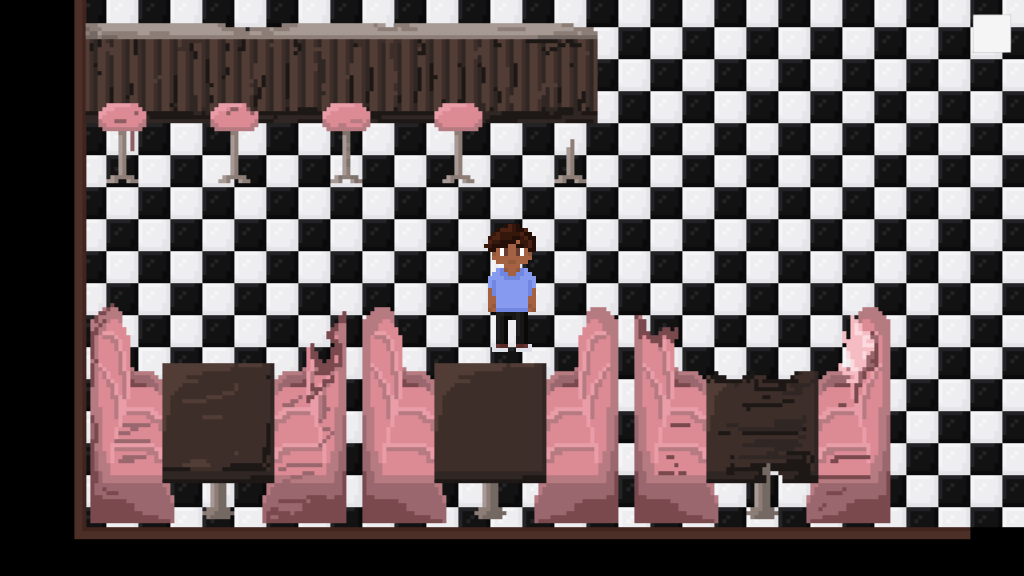
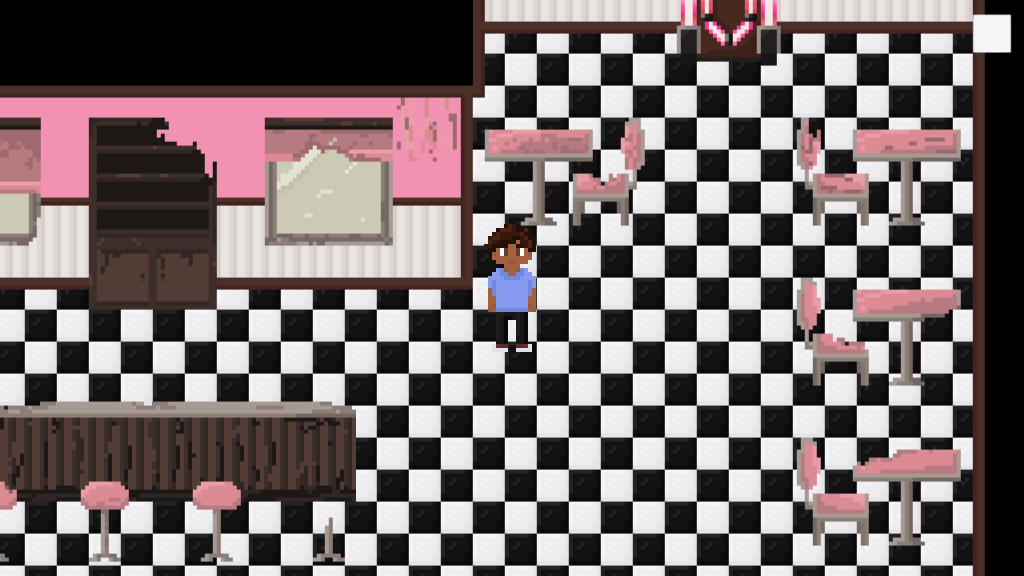
I implemented the switch in interiors in the game. It wasn’t that hard to do, because past me was smart and put all the interior assets in a folder. The switch, placed on a trigger around the jukebox, will be triggered when the player clicks on it (right now it’s still “Press F” but I’ll change it to a mouse click) and will deactivate the interior 1 folder and activate the interior 2 folder. Each folder has its own trigger and I made two scripts: one for changing from 1 to 2 and one for changing from 2 back to 1. This way, the player can keep switching between the two interiors.
As you can see, I have finished the second interior design. The colors of the assets are faded and most of them are broken. I also switched up my character placeholder with the actual character I’ll be using. It doesn’t have animations yet, but this is less scary to look at.
The next thing on my to-do list is the lighting. I’ll look into that either tomorrow or Wednesday and I’m hoping to get some fixed before next class.
02-06-2020
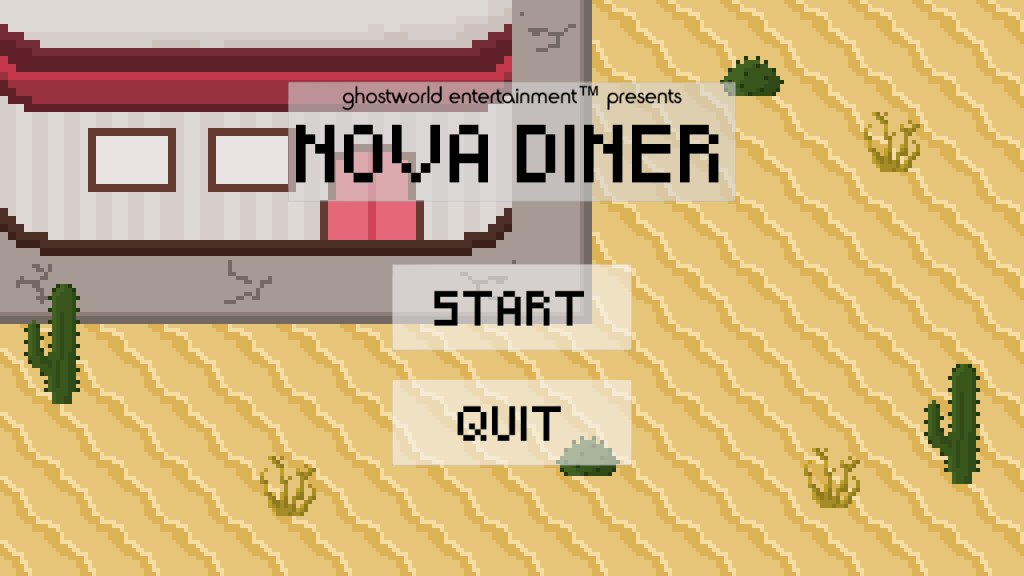
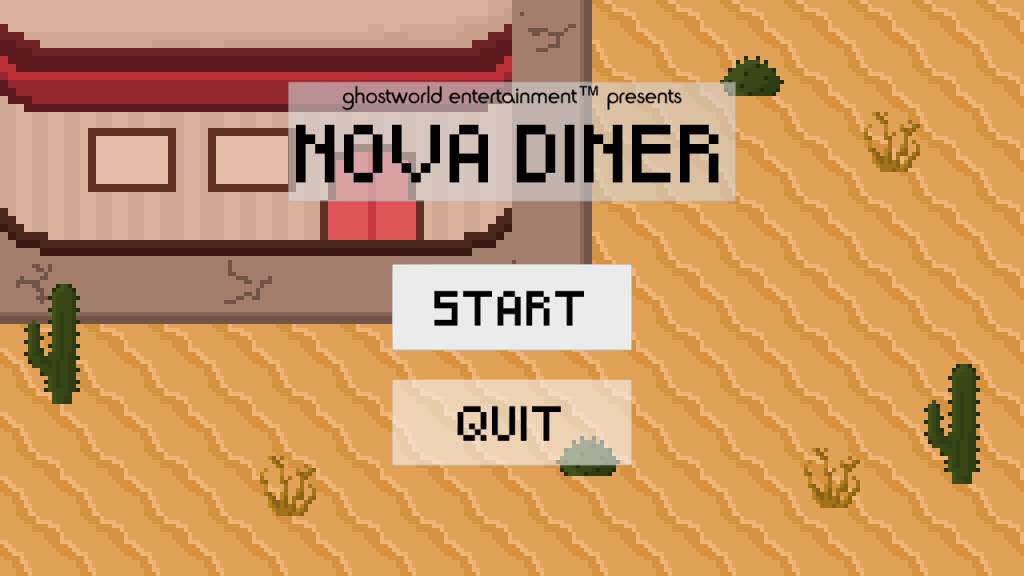
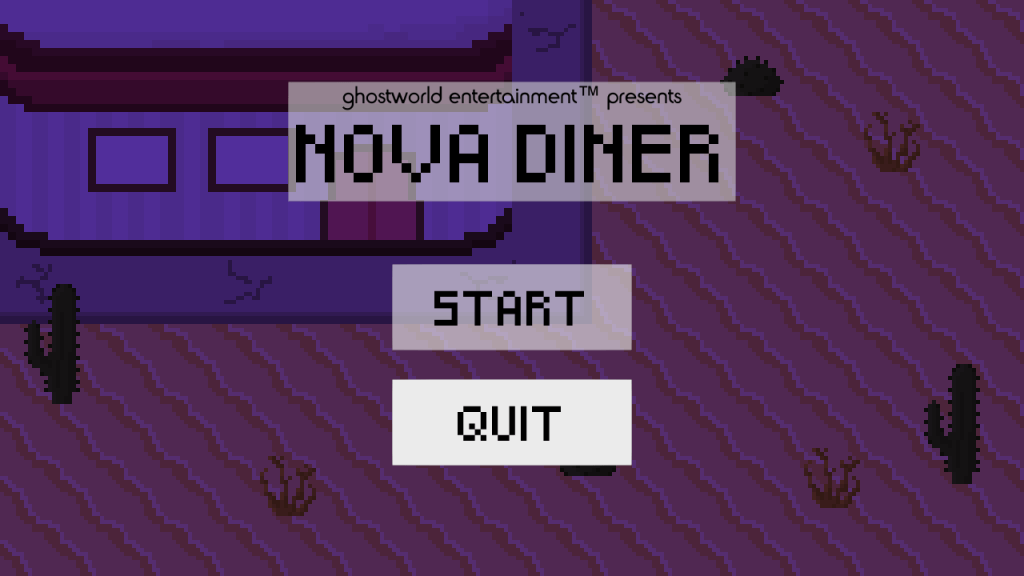
I didn’t have the time to work on lighting today, so instead I drew a start screen for my game.
I decided to use the same perspective for the start screen as the game itself. This way, I was able to reuse some of the assets I already made. These are also the assets that might not make it into the game, because they’re part of the exterior and I might scrap the exterior, so now they’ve been useful anyway. I did have to create a part of the diner and some curb for this background. If I do decide to keep the exterior in, I can use these assets as well.
03-06-2020
Today I fixed some lighting for my game. I went with a nice sunset for interior 1, and midnight for interior 2.
I might tweak the colors and light intensity later on, but for now I think it looks really pretty. Another thing I did, was add some lighting to the start screen as well. Now, when you hover over start, the background will have the same color scheme as interior 1. When you hover over quit, the background will have the same color scheme as interior 2.
I got a lot of things done this week and I’m super happy with it. Now with the switch implemented and the lighting fixed, I’m already very far with the final assignment. Next week, I want to try and get as much done as possible, so that I might have extra time to also include the exterior in the game. I think it would be really cool if I could get that done as well.
I didn’t work much today on the project, because I was mainly focused on another project and I spent the entire afternoon playing a video game with friends. I really just wanted to use this day as a relaxation day and it was really nice. I’ve worked a little on a pixel art jukebox and am about halfway done. It doesn’t look that nice yet though, so I might change some things about it at one point.
Tomorrow, I want to get the jukebox done, as well as the bar. If I have more motivation, I’ll also work on the bar stools, cupboards for behind the bar and the dining booths.
22-05-2020
Due to some unexpected personal matters, I wasn’t able to work on BPW today. Disappointing, because I was doing so well last week. I’ll do the things I was going to do today tomorrow, and hopefully I’ll get some extra stuff done as well.
23-05-2020
Today I finished the jukebox. Again, I didn’t have a lot of time today, which is why I couldn’t get anything else done. Tomorrow I’ll try to work on some more assets.
24-05-2020
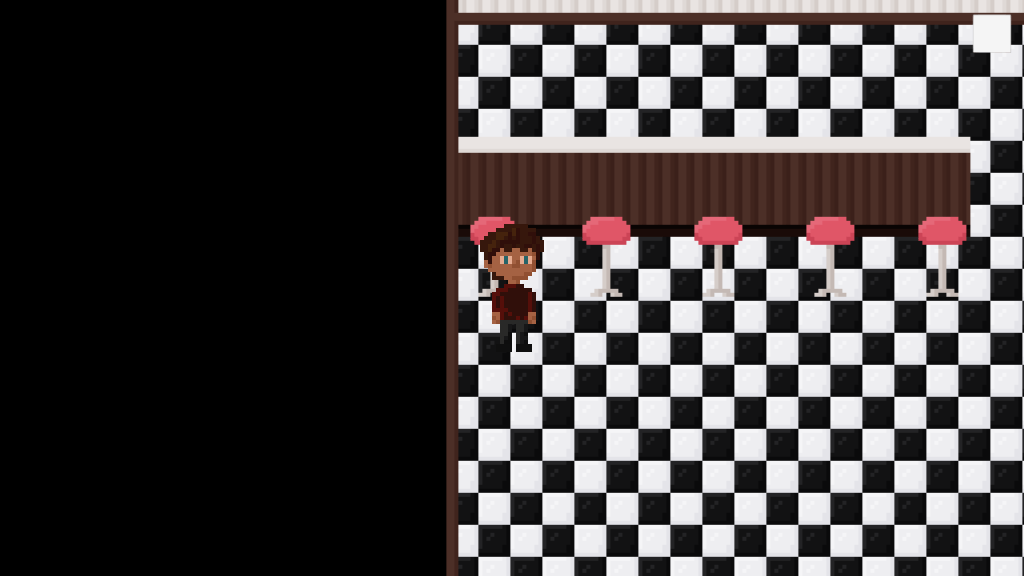
I managed to finish the bar and the bar stools. It was a little tricky to get the bar done, because the player needs to be able to walk behind it, as well as in front of it. So just throwing it in a foreground sorting layer won’t work, and throwing it in the background sorting layer won’t work either. I made a counter top half and a counter bottom half and I’ll probably only give the top half a box collider that is at the bottom of the tile. The bottom half will be part of the background and the top half will be part of the foreground. That way, the player will be able to appear in front of the bar, as well as behind it.
25-05-2020
Another day in which I didn’t have time for BPW, both because of other schoolwork and some personal stuff. It’s really frustrating, because I’m starting to lose my head start with several subjects and I’m struggling to keep up with everything. Hopefully I’ll get some stuff done tomorrow. I at least want to implement the assets I already made, to see if the plan I came up with yesterday works.
26-05-2020
Today I worked on the booths, but it’s not really working. So for now, I have tables set up (still placeholders, I’ll make them look better tomorrow) instead of the classic diner booths. I also implemented the bar, the bar stools, and the jukebox, and it’s looking pretty cool so far.
27-05-2020
I redid the tables to add some shadows to it. I also drew chairs and windows and implemented them all into the game. Most of the interior is now decorated, I’m only missing the front part of it. I might place tables there as well, but I do want to try to draw some of those classic booths, because I think that would look really cool.
I also worked on a new character sprite, because the placeholder I am using right now is just terrifying. I finished a front design and worked on the front walk animation. It’s only four frames long and I don’t know how it looks in game yet, but I’ll implement it next week and try to get it to work.
This week wasn’t a good week for me, unfortunately. I’m hoping to catch up with things during next week, to make sure I can finish everything on time.
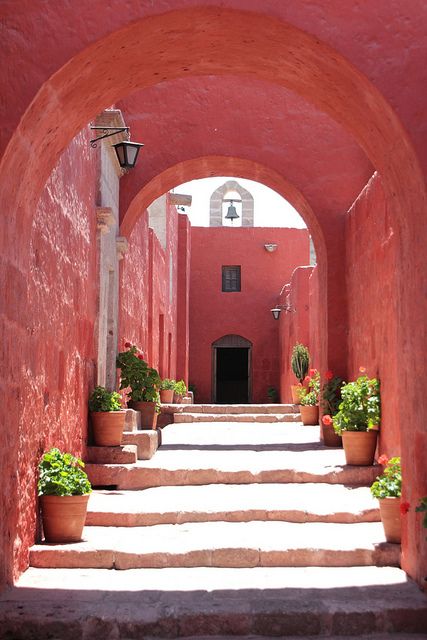
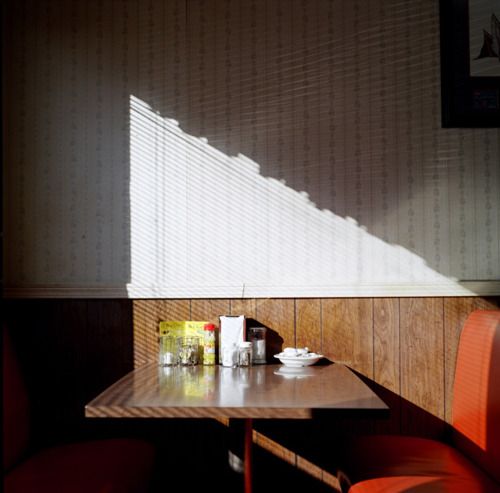
Today, we received the new assignment for Building Playful Worlds 2. I decided to use the following pictures for my own environment:
The left image is the theme / atmosphere I want to use. The right image is the setting of my environment. I worked on a moodboard today to visualize my current idea. You can find the moodboard here.
My current idea is a retro style American diner, located in the desert. I would like to have an interior and an exterior for it, with the interior as a priority. The two versions of the environment would naturally be inside and outside, but if the outside is too much work, I want to do something with changing the look of the interior with switching songs on the jukebox of the diner. The game will be a 2D pixel art game. I decided to do this, because I’ve never done it before and would really like to try it out. I am also currently working on a 2D pixel art game for my second ISA project, so hopefully I can combine these two subjects a little and reuse some of the assets I make.
The most important assets in this environment would be: the main character, the diner (exterior view), a dining booth (diner interior), a bar, and a jukebox. Other important exterior assets include a sign (neon, maybe), a parking lot with maybe a truck or a car, and some desert plants (a cactus, a rolling tumbleweed). As I mentioned above, I’ll first be focusing on the interior of the diner, meaning I’ll probably start with the main character, diner booth, bar, and jukebox.
15-05-2020
I spent some time setting up all my stuff for this project today. I set up my Github, did some preparations for this blog, and created a Unity project. Because I’m working in 2D and pixel art, there’s several things that I needed to change in order for my art to work well. I set the screen resolution of the game to 1280×720. The PPU for my sprites is 16. The main camera’s orthographic size is set to 4,5 (camera size is 256×144, so 144 / PPU / 2 = 144 / 16 / 2 = 4,5).
It took me a while to get it all set up, but I think I should be ready to import some art now. Knowing myself (and knowing Unity) I’ll probably run into some more problems when I actually get to the importing part, but that’s a problem for future me. Right now, I’m feeling pretty good about how all of this is going so far. I would love to start working on the art this weekend, but I’m not sure if I’ll have time to get to it. If not, I’ll at least set up a main menu, a scene for the environment, and maybe already a way to get back to the main menu from there. I’m not sure whether I want both exterior and interior in the same scene or the two of them in separate scenes, but I’ll look into that in the weekend as well.
16-05-2020
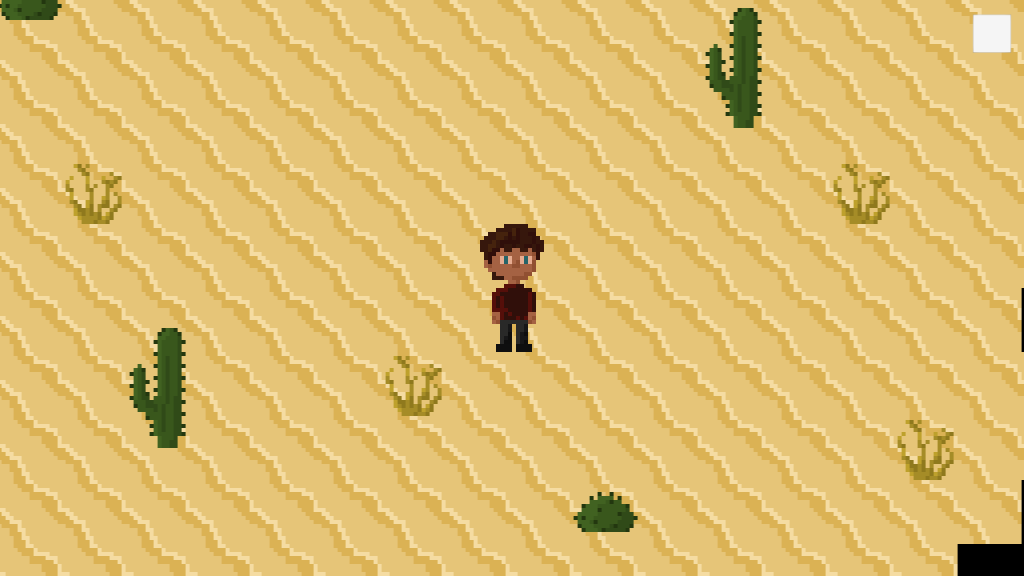
Today, I tried out making some pixel art. I made a main character and a tile for sand. Both aren’t the official assets yet, I only used them to try out importing the assets into Unity and working with a tilemap for the first time. It went pretty smooth, so that’s good news.
For my pixel art, I’m using Pixel Studio. I haven’t worked with it before, so I’ll also have to figure out how it works. Because I made some art today, I’m already getting the hang of it, which is really nice.
Tomorrow, I’ll work on connecting the main menu to the environment level and vice versa. After the weekend, I’ll continue with the art.
17-05-2020
In order to speed things up a little, not only did I link my main menu to the level and vice versa, but I also already added a player movement script and a camera movement script. Now, the player can move around with WASD and the camera will follow the player’s position. This allows me to create a map bigger than the screen itself, so that the player can do some exploration.
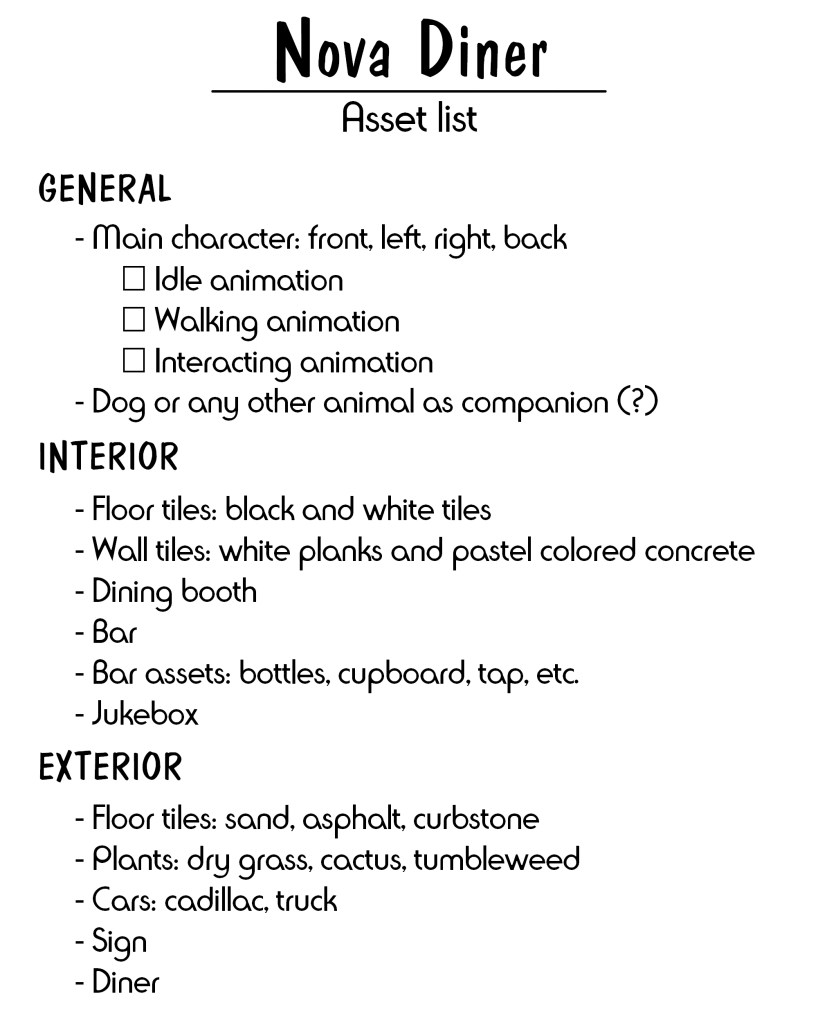
I also made an asset list. This will help me keep a clear overview of what I still need to draw. Here’s the list:
I have already been working on the interior floor tiles and the sand. I also have two types of cacti and a patch of dry grass. During the week, I’ll try out painting on a tilemap in Unity.
18-05-2020
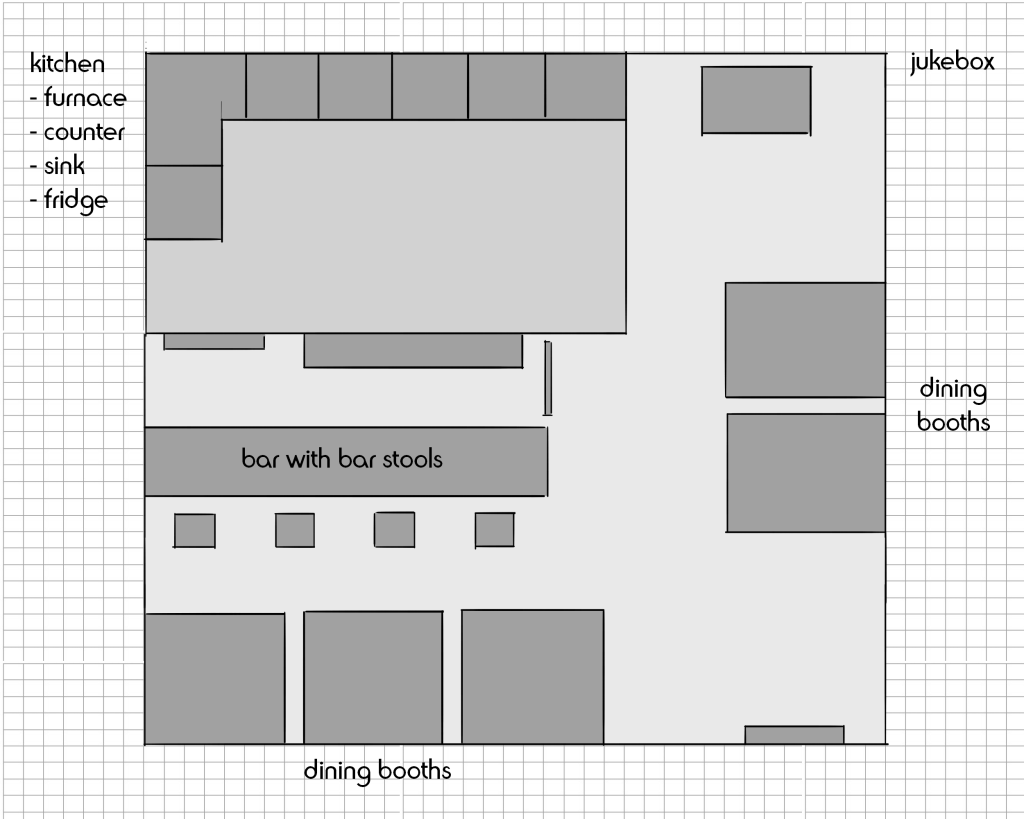
I worked on several things today. I made a floor plan and worked on some interior design, to see which colors work nicely together.
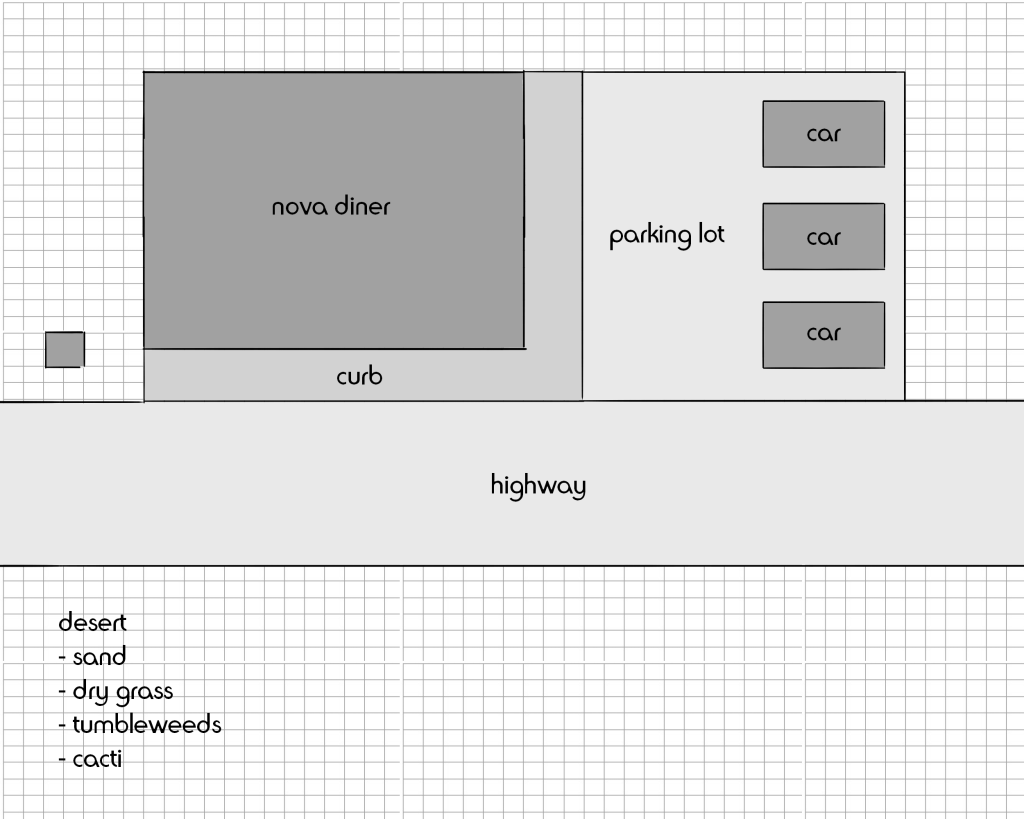
The kitchen is something I’ll be adding if I end up with extra time on my hands. Otherwise it will be there, but the door will be locked, so the player can’t go to that area. I also made a floor plan for the exterior.
It won’t be an extremely big map, but it’ll be big enough for some exploration.
19-05-2020
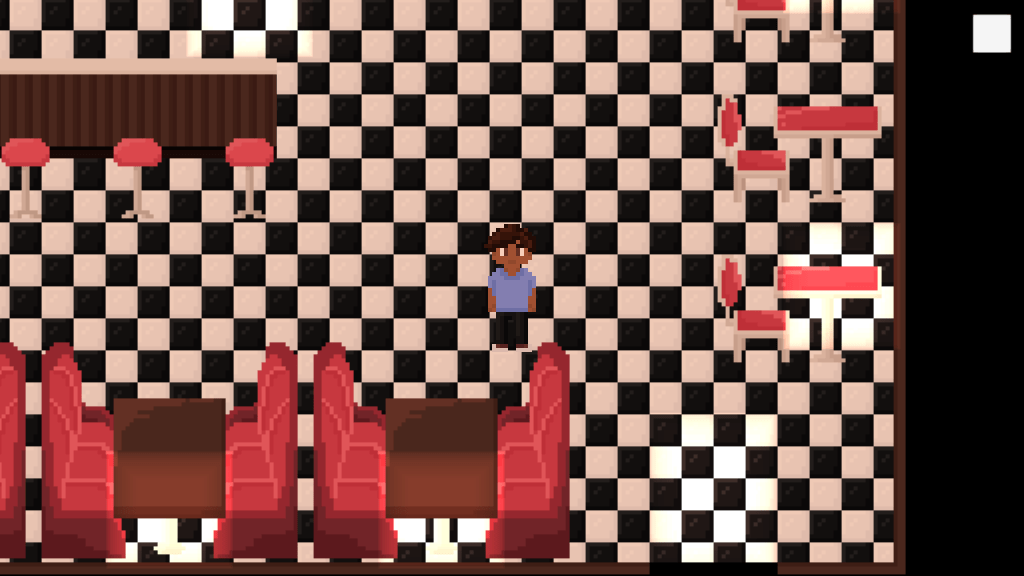
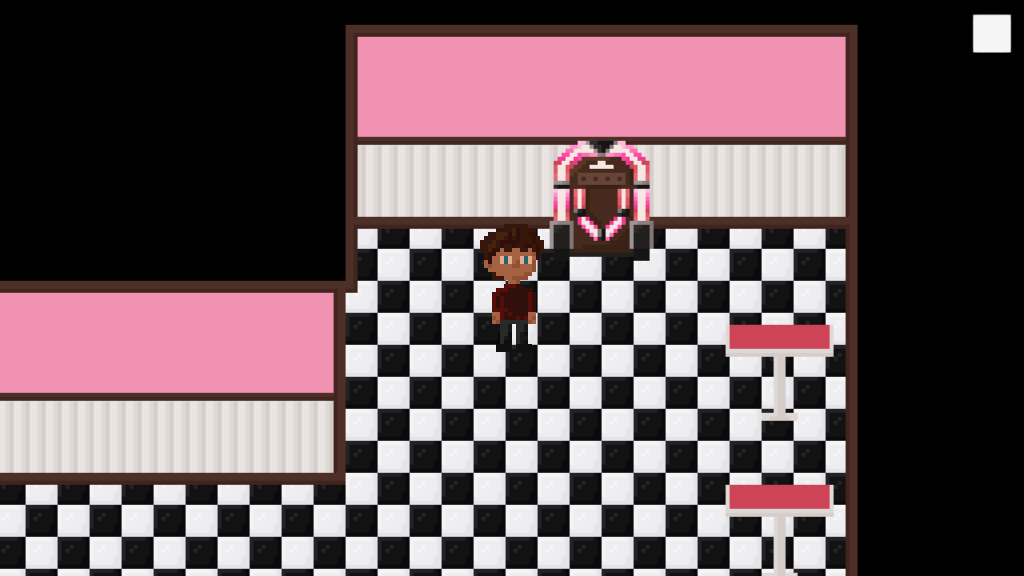
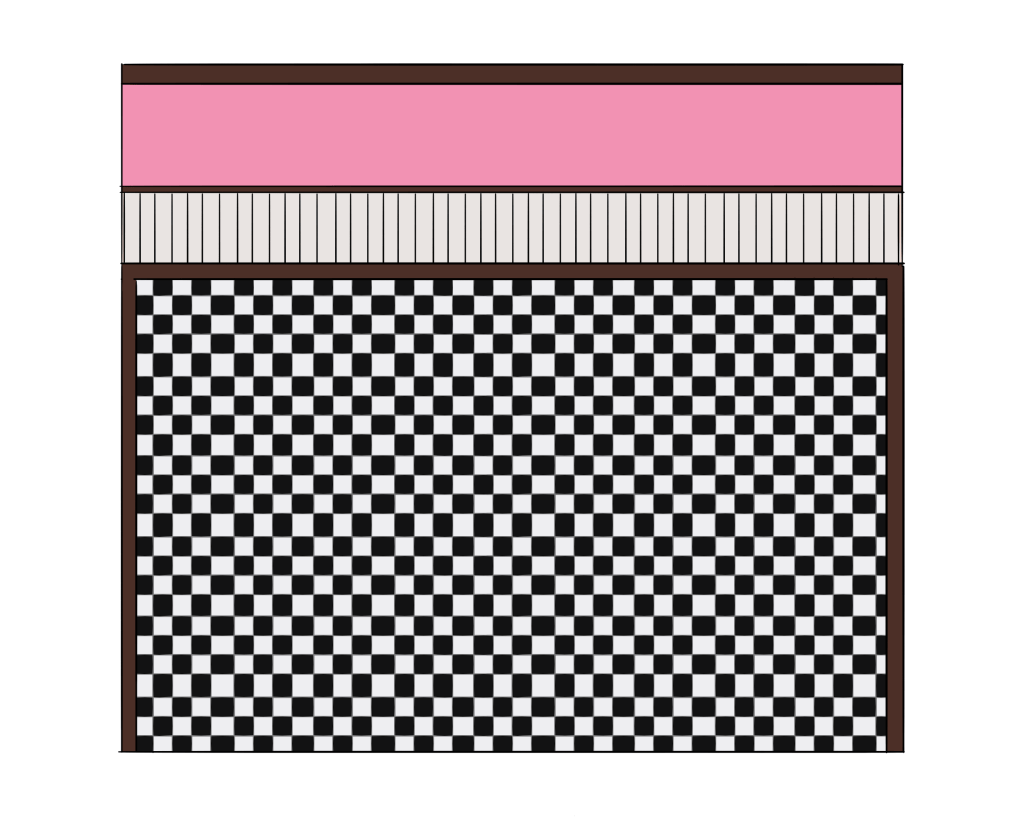
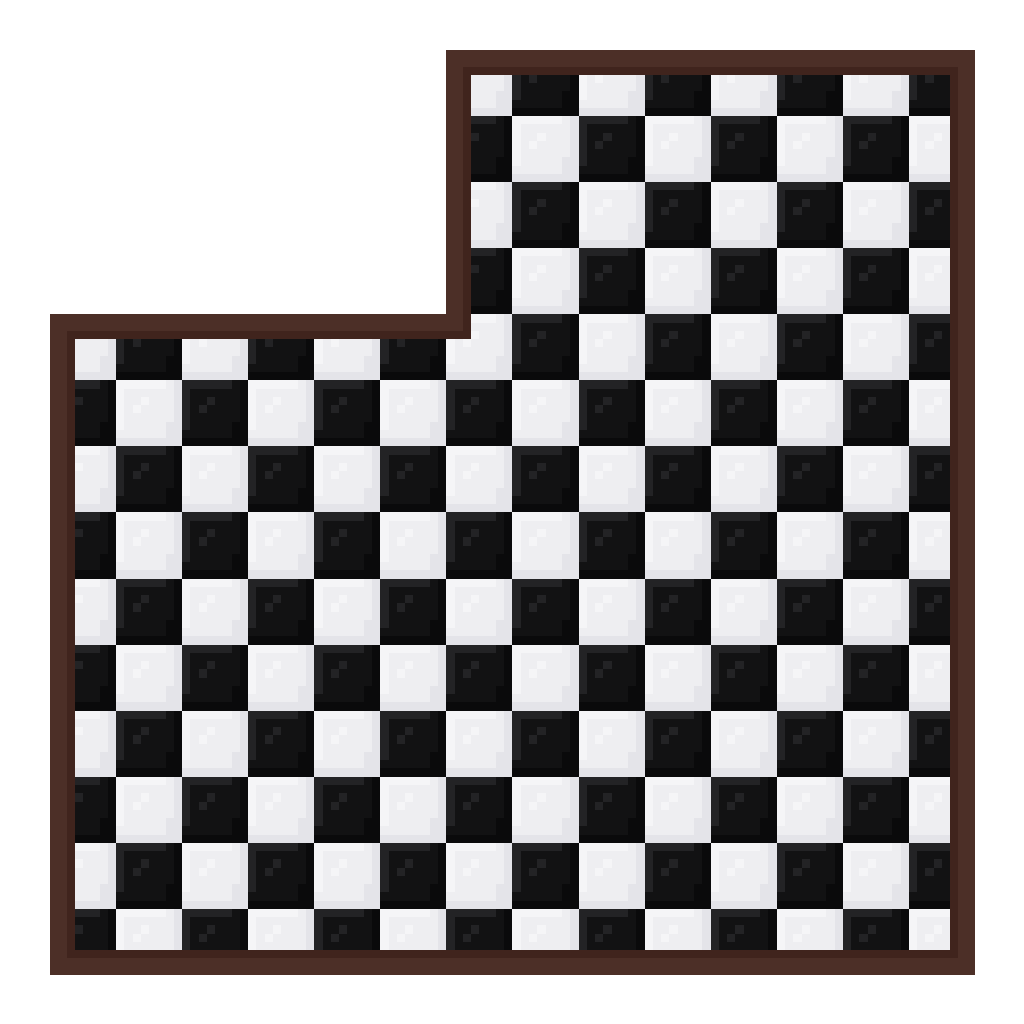
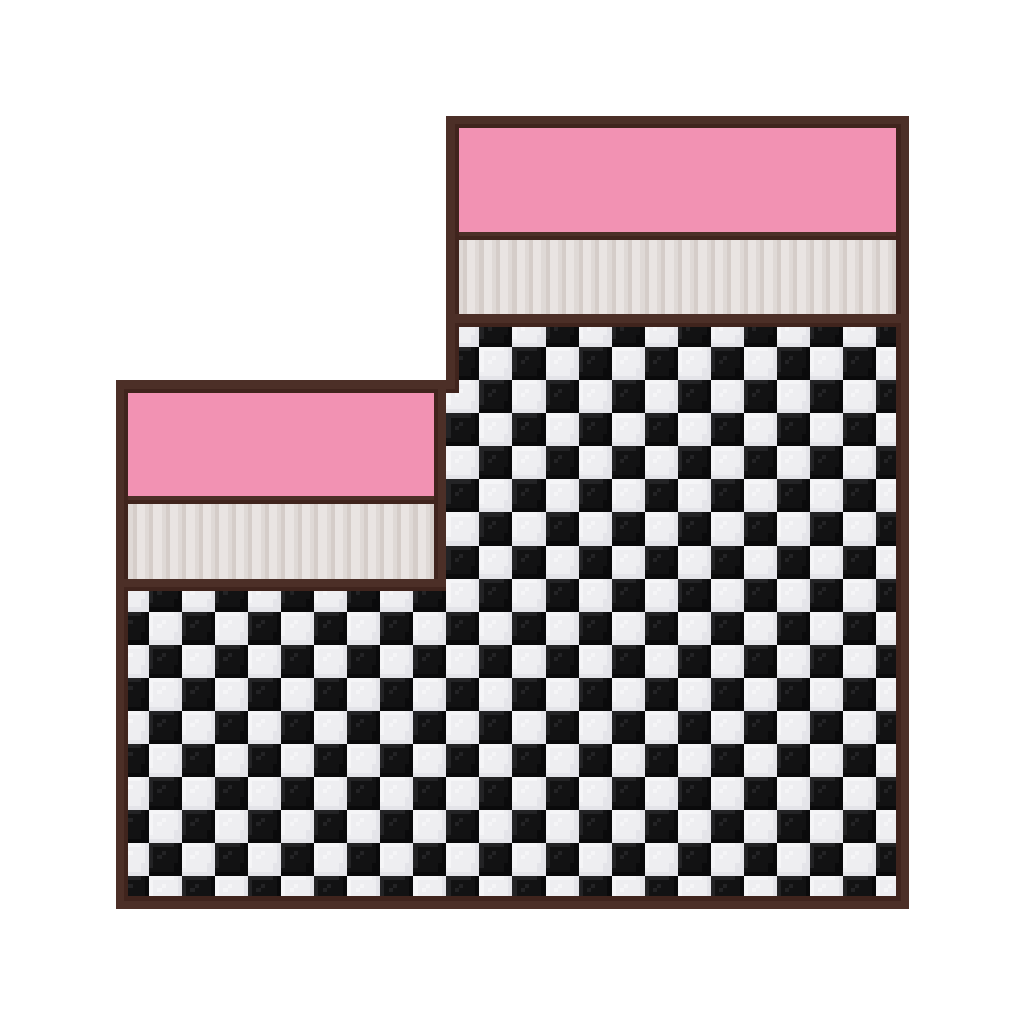
Today I finished the floor and wall tiles for the interior of the diner. I put them all together in an art program, to see if all the tiles line up and fit correctly.
It works a little clunky in the transition part between the two walls going up, but this is the best I could do- otherwise I’d have to work with halved tiles and that messed up the entire floor. I also already implemented it in Unity and it looks pretty cool so far.
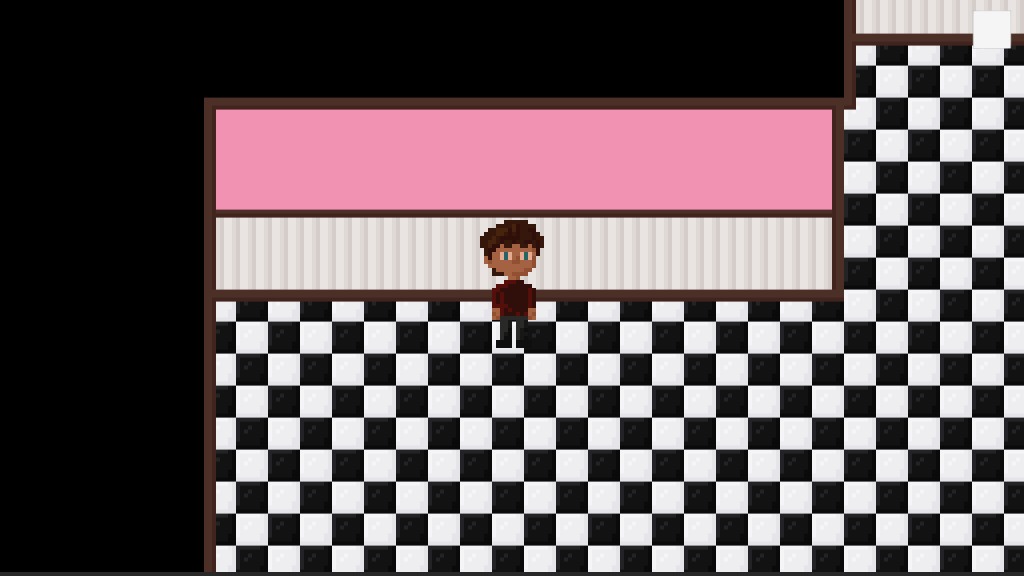
The main character looks a little creepy, I know. It’s still a placeholder though, so don’t worry. The little white square in the upper right corner of the screen is the button that brings you back to the main menu.
I also added in colliders to make sure the player doesn’t leave the room. The collision also doesn’t work flawlessly, because the player sometimes randomly gets stuck while moving along the colliders. Luckily when the room is fully decorated, there’s not really an opportunity to fully move past all the colliders- so that fixes that issue.
20-05-2020
Today I created another scene for the exterior. I painted a background for it on the tilemap.
I also added in some “doorways” the character can collide with. These doorways will switch between the two scenes. The doorways aren’t painted on the tilemap, I made them into sprites. That was much easier.
I got very far this week. Most of the coding should be done right now. During next week, I would like to get a whole bunch of assets done, so that I can round up the actual environment itself as soon as possible. I would also like to build the kitchen if I can, and maybe do something (again) with a locked door and a key. Not as the core mechanic of the game this time, but just as a bonus to get an extra piece of environment to explore. I think that would be really cool.
I also want to get some work done on the actual character sprites. I don’t think I’ll be able to finish them in a week, because I’m very busy at the moment, but I’ll certainly try.
I should’ve definitely been doing other things today but I focused mostly on BPW and I got a few things done.
For starters, I added in the “you vault off the stairs and die” option. The trigger isn’t that big, which means that sometimes when you jump you miss it and live. That’s fine, because otherwise the trigger would get in the way with normal gameplay and we don’t want that to happen.
I also realized why my mouse cursor wouldn’t activate. Apparently the rigidbody first person controller locks the cursor which is why it won’t activate. So I disabled the lock and now have full control over the cursor. I changed the end screen back to the button version, because now I can actually press them.
The third big thing I did was realizing the title of my game is “What Lurks In The Dark” but nothing is lurking in the dark. So I added in a simple AI that follows the player and upon touch, the player “dies”. There’s two of these enemies in the game and they’ll probably be ghosts. I added a screen to the start of the game, letting the player pick a difficulty setting. On EASY the ghosts won’t appear, on NORMAL they will. I added this in because it’s super stressful to test the game with two gigantic white cubes slowly closing in on you.
The AI does move through walls and ceilings and floors, but that’s fine because they’re ghosts. They can just do that.
Instead of models of ghosts, I decided to make them glowing particle systems that are basically just white, moving clouds. That’s just what ghosts look like now.
27-03-2020
Today I wrapped things up and made a build of my game. I tried to add in a collectible counter in the screen but it wouldn’t work and it was frankly driving me insane so I gave up. The build is fully functional and both game modes are doable.
I let my brother play the game and it works exactly as it should. The opening doors by collecting collectibles system wasn’t completely clear to him at first but eventually he got it. I am not gonna change this though, because I think it’s nice to first have to do a little exploration before understanding the mechanics completely.
I also wrapped up project documentation, my Github and the gameplay video. I let some others play my game as well and they enjoyed it, which is really nice to hear. This will be my last post on this blog (for now), because I’m completely wrapping up the project and I’ll be handing it in shortly.
I really enjoyed Building Playful Worlds. I lost a little motivation along the way because we had a lot of things at the same time and it was very stressful, but I ended this project good. I think I made a nice game that I could probably clean up a little more, but that would be something for the future.
I’m almost finished with decorating the house. Every room except for the bathroom is decorated now. I still have to color everything, but that shouldn’t take too long.
Here is a list of everything I still have to do:
Make models for the bathroom and place them in the room
Give all models a color
Add a particle system to the cut scene
Add an audio source to the cut scene
Write some text for the collectibles
Here’s a list of things I would like to do if I have time left:
Draw some actual textures instead of slapping a solid color on every piece of furniture
Fix the glitch of the box not opening when the open animation is triggered (I’ve already looked at it and I can’t seem to fix it quickly, that’s why I’m putting it on this list)
Add more sound effects
Add in a death scene when the player decides to vault off the stairs
Go over scripts once more to optimize where possible
Add in a pause menu
Create an actual mirror material for the mirror
If I work hard, I might be able to finish the game within the next few days, but considering I also have a bunch of other deadlines next week before this deadline, I might focus on those more. I hope I have some time left, so that I can do some of the extra things I mentioned above.
21-03-2020
I finished all the models for the game and implemented them. I decorated the bathroom and I’ve started adding color to everything. It’s starting to look pretty nice now, and I’m almost finished with the look of the house.
Tomorrow I want to add an audio source to the cut scene. I also want to begin on the particle system. I also want to write some collectibles and implement the text in the game.
22-03-2020
I know I said I was gonna do a lot of things today, but I decided to focus on some other homework instead. I did manage to finish decorating the house. Everything is colored now and it looks pretty neat.
What I also managed to do, is fix the glitch of the box refusing to play the “open box” animation when triggered. The thing is: it didn’t get triggered at all. The part of the box with the animation has a box collider on it, which is what triggers the animation. But I put the box collider on the model when the box is opened, which it is at the start of the game. But then, in the cut scene, the box closes, which means the lid of the box with the collider moves, and the box collider moves too. So when the player would get to the box and trigger the “key obtained” message, the box would stay closed because the stupid box collider was on the whole other side of the box! I’m a little pissed off about it, if you couldn’t tell.
So all I had to do was change the position of the box collider to line up with the closed box, and ta-da, the animation plays. So that’s great.
With two very important deadlines coming up, I’ll probably stop working on my game for a few days and continue as soon as the other deadlines are over. Again, all I need to do is add audio, particles and some proper collectible text and then I’m basically done. The rest is extra. I also still have to write some documentation and I shouldn’t forget to make a build and a gameplay video of the final version of my game.
23-03-2020
I added collectible texts and a bloodstain texture to the pillow on the girl’s bed for environmental storytelling. I also already added a pause menu because I felt it was missing, and I updated the tutorial page with all the controls on it. Here’s a list of all the things I still want to do:
Add audio source to cut scene (REQUIRED)
Add particle system to cut scene (REQUIRED)
Go over scripts and optimize where possible
Add in a death scene when the player decides to vault off the stairs (really an extra thing but I really like the idea of it)
I also finished writing my project documentation today. I’m trying to do all the smaller tasks now, so that I’ll have to do less at the end of the week.
24-03-2020
Today I added in audio in the game. It was much easier than I thought, which is really nice because I was done quickly. I added in an eerie song in the cut scene and the ending scene (so that the player won’t just be looking at text on a dark screen), a thunderstorm in the gameplay itself, and a loud thunder crack in the cut scene as a trigger.
I also optimized some of the scripts. Tomorrow I’ll start with the particle system for the cut scene.
25-03-2020
I added a particle system to the cut scene and went over all the files in my game to clean up where necessary. I’m practically finished with the game right now, so that’s really nice. I also updated my project documentation. All I have to do now is final check the game, see if I can add some of the bonus content I’d thought of, make a build, make a gameplay video, make sure my Github and blog are both up to date and hand everything in.
I updated my idea for my cut scene again. I hope I won’t have to change anything about it anymore.
The cut scene is triggered when the player walks forward. A camera will be on the key, which is in a box. The camera moves around it and right before it begins to move backwards, the box closes and dust is blown from it. This is done with a particle system. The camera moves backwards through the door and the hallway. Before it descends the stairs, a flash of light will go off, followed by thunder (audio). The camera moves down, and ends up in the same position as the player camera.
14-03-2020
I made some more models for my game today. I drew a floor texture, because I’m not allowed to use pictures from the internet. I also cleaned up my folders a little bit. There’s still a lot of models I have to make, but I’ll stop with that for now and focus on my cut scene. Once I’ve got that, I’ll continue creating models and making the house look all fancy.
I also don’t think I’ll have enough time to draw more textures. Instead I’ll probably just slap a solid color on every piece of furniture. Once again, if I have spare time, I’ll draw some textures for them.
15-03-2020
Today I made a start with the cut scene. I set up a camera and made it move around the house down the route I want it to move. It does rotate randomly now, so I’ll have to fix that. I also made animations for the box I made for the key. One of these animations (the box closing) plays when the cut scene camera hits a trigger. The other one (the box opening) plays when the player hits a trigger.
The cut scene is triggered when the player walks forward. When the cut scene ends after 30 seconds, the player regains control of the main character. I haven’t added a particle system yet or an audio source, but I doubt it’s any more trouble than I’ve run into so far.
16-03-2020
Today I cleaned up my game a little. I added a model for the room doors and applied them everywhere. I merged the two scripts that deal with the collectibles and the doors to open. The doors now won’t open before the collectible has been picked up. They also actually open instead of disappearing.
I fixed the camera movement for the cut scene. It’s still a little wonky, but it’ll have to do for now. I added a light to the camera to make sure the cut scene isn’t completely dark. For some reason, the open animation on the box with the key in it won’t play when triggered. I think this has to do with the closing animation playing first- When this animation hasn’t played, the open animation does play. I’ll attempt to fix this later. I also added in a skip cut scene function, so that I don’t lose 30 seconds of my life every time I try to test something.
Instead of having the front door open to a white screen, colliding with the front door while holding the key doesn’t open the door anymore. Instead it just triggers the next scene, which is a dark screen with text on it that tells the player the main character can’t get the door open and apparently can’t seem to leave the house. Then, the ending screen will appear. Right now, the player can only quit the game from this screen by pressing E.
I’ve also decorated most of the living / dining room. I made a front door model as well and replaced my placeholder with it.
All there’s left for me to do now is make some more models for the game to fill up the house. I also have to make everything look pretty. I still have to make a particle system for the cut scene and I have to add in audio. I shouldn’t forget about my project documentation.
17-03-2020
I made some more models and now, two rooms are completely decorated. The bedroom is partially decorated. That means I still have to decorate 5,5 rooms. The bathroom is gonna be the biggest problem, probably, so I’ll do that one last. The models don’t have any colors yet, so I also still have to do that.
I shouldn’t forget to add a particle system and some audio. I also want to create a soundtrack for the main menu, but I’ll do that when I have spare time (author’s note: I’ve written the sentence “I’ll do that when I have spare time” way too many times on this blog, sorry for that).
18-03-2020
Today I decorated the bedroom, play room and the hall with the stairs. I also made a start on the master bedroom, kitchen and bathroom. I’m planning on finishing those as soon as possible, either tomorrow or Friday.
I also decided to actually make some collectibles. After physically fighting the Unity animation tool, I managed to get the collectibles (basically sheets of paper) to hover above a surface, turn in circles, and move up and down slowly. Each collectible has its own animation because as much as I tried, I couldn’t get the same animation on each collectible (didn’t work with position). But this works fine. Each collectible also has a particle system (magical little dots) and a light. Unity seems to have some problems generating all my lights, but it looks alright. Now it’s clear for the player what they have to pick up.
For some reason, the box with the key only opens when you press E, but I never wrote any code that triggers that, so that’s a bit confusing. I tried to locate the source of this weird glitch but without success so far. I’ll try to find it tomorrow.
Finally had a motivation boost today and I got a lot of things done. I rearranged the rooms at the lower level and also added rooms at the top floor. I made some triggers, which will open doors to different rooms eventually. Right now they only make the doors disappear, because I don’t have proper models and animations yet. I also accidentally reset the position of the front door, and now my animation doesn’t work anymore. I’ll make a new one later.
Everything is finally coming together. I’ve started on trying to implement the Maya models into the game, but it doesn’t really work properly yet. I’ll look into that another time.
I’m also working on a script which opens up some sort of notification when the player presses a certain button near a collectible. This is for the news articles the player can collect in the game. I managed to make a pop-up appear when the player walks over a trigger, but the pop-up doesn’t pause the game yet. It’s also still pretty ugly, but I can just create some articles in another program and then import them as images.
06-03-2020
Today I updated the collectibles script. Now, when the player hits a trigger, a pop-up appears which pauses the game. When the player hits enter, the pop-up disappears, and the game continues.
Right now, I’m using all sorts of weird controls for the game. When I’ve got everything I need, I’ll update this to make it more logical. I also still need to look into another way to import Maya models.
09-03-2020
I finished the window layout in the house. I also added some sort of box behind the front door, which is necessary for the final cut scene of the game. When the player opens the door, they think they’re free, but instead they end up in an empty white room with a single spotlight. They look around, and then a demonic hand appears in their view, which pulls them back inside the house.
I really need to start on the animations. But I honestly don’t know how to start. I’m gonna try to get as much of the house finished before next class, and from then on I’ll be focusing on the animations and the cut scenes.
11-03-2020
The trigger system is finished. When the player enters the trigger zone, a message will appear, telling the player to press E to pick up the collectible. When the player does so, a pop-up will open with the collectible on it. When the player exits the pop-up, the trigger will be gone.
I got rid of the final room and added a white quad instead. When the front door opens, the screen will fade to black and I’ll add some text which tells the ending of the story.
I also discovered today I can’t use the player camera for my cut scene. This means I’ll have to think of something else again. I think I’ll just place a trigger at the very beginning of the scene. When the player triggers it, the cut scene starts and it shows the key in the final room. It’ll then zoom out and move backwards, through the closed door, the hallway, down the stairs, back to the player. The particle system will probably be some lightning behind a window, and the audio will be the thunder.
With so many different deadlines closing in, I’m finding myself less motivated each day. That’s a shame, because I think I could’ve really liked this assignment if I hadn’t been so busy. I have already learned a lot from it though, which is really nice.
Today I decided to get rid of the lightning script, because I didn’t get it to work properly. I’ll try to add lightning in later, if I have spare time. I added some walls, but other than that I didn’t get much done today. I’ve been feeling a little ill this weekend. Tomorrow I have the day off, so I’m hoping to get some more done then.
02-03-2020
I’ve started working on some of the models I’ll be needing for my environment. Because I have a lot of things to make, most models will probably turn out looking pretty bland. If I end up with spare time, I might make them look more interesting. For now, it’ll just be basic shapes, so that I can produce a lot of models in as little time as possible.
03-03-2020
I’ve worked a little more on the house itself. It’s taking a long time to get everything right and I haven’t had the longest attention span in the last few days, which is really unfortunate. I hope I can shake myself out of it, so I can get the basics done and move on to my animation, which is the most important thing of the entire game.
04-03-2020
Today I finished two of the models for my game, a chair and a table. I didn’t have time to add them into my game, so I’ll do that tomorrow. This week wasn’t the most productive week for me for BPW, mostly because I wasn’t feeling too good and I had a lot of other things to do. Next week, I’ll focus on this more. I want to get most of the interior of the house done, as well as the collectibles. I want to make a start on the animation, and I want to add in an end screen.

 Building Playful Worlds